

Here are over 20 kid tools for higher-quality screen time
This article is republished with permission from Wonder Tools, a newsletter that helps you discover the most useful sites and apps. Subscribe here.
Not everything creative needs a prompt. The web is increasingly flooded with AI-generated images and videos, much of it aimed at kids. Sometimes it’s nice to break free of that synthetic media.
As a dad of 10- and 12-year-old daughters, I appreciate resources for kids and families that celebrate human imagination, curiosity, and hands-on exploration.
I had a fruitful recent conversation about resources for kids with a fellow dad, Kevin Maguire, who writes the great newsletter called The New Fatherhood. If you’re a dad looking for great reads and a sense of community, check out Kevin’s newsletter. (Also read Recalculating, by Ignacio Pereyra). Kevin wrote the section below about simplifying screens and shared the tip about Muted.io.
The rest of the apps and resources below are ones I’ve enjoyed in recent years with my wife and daughters. From coding with visual blocks to identifying plants on nature walks, these are some of our favorite tools for sparking creativity.
Building brains without bots
- Scratch, developed at the MIT Media Lab, is a superb program for learning to code. It’s fun and free for kids—and adults. My daughters like assembling Scratch’s visual blocks on-screen to create interactive stories, games, and animations. It’s designed for kids 8 to 16. ScratchJr is a great alternative for kids 5 to 7. Free
- Dash Robot lets kids program it to move, light up, and make sounds. It teaches block coding, like Scratch, and our daughters enjoy making up their own instructions to send Dash on creative adventures. For kids 5 to 14. $180.
- Seek is one of our favorite family apps. Point the app at any plant, flower, animal, or bug you see on a walk to learn more about it. It’s given us insight into much of the greenery (and critters) around us. iOS and Android. Free
Sponsored message
Guidde: Create how-to guides with AI
Tired of explaining the same thing over and over again to your colleagues?
Guidde is an AI-powered tool that helps you explain the most complex tasks in seconds with AI-generated documentation.
- Turn boring documentation into stunning visual guides.
- Save valuable time by creating video documentation 11 times faster.
- Share or embed your guide anywhere.
Just click capture on the browser extension. The app automatically generates step-by-step video guides with visuals, voiceover, and a call to action. The best part? The extension is 100% free.
Words that work wonders
- Libby lets you access thousands of free e-books or audiobooks with a free library card. It works for more than 90% of public libraries in North America, and Libby can be found in 78 countries worldwide. Free
- Khan Academy is the most robust online spot for helping kids with learning almost any school subject. It’s completely free. No ads. Khan Academy Kids has great learning activities and games for kids 2 to 8. It’s also free and ad-free, and it’s fun for both math and reading. Free
Family screen time that actually works
- Common Sense Media: Wondering if a show, movie, or video game is age-appropriate? Get a quick sense of whether it’s a good fit for your family. Free
- Kanopy is a terrific free resource for educational videos, documentaries, and classic films. Access it with your library card. A unique feature: Watch Oscar-winning short films you won’t find on other streaming platforms. Kanopy Kids is a curated collection for learning, and less commercial than the kids section on Netflix. Free
- JustWatch: See which platform hosts a particular movie or show. Free
- Nex: Like a Nintendo Wii made for 2025, this video game system gets our bodies moving with fun, nonviolent, family-friendly games. It was easy to set up, plugging right into an HDMI port on our TV. It’s a little bigger than a Rubik’s Cube.

Four of us can play together. We like the sports, dancing, and trivia games. Some titles are just for little kids (e.g., Elmo, Peppa Pig), but most are engaging for older kids and adults. The device costs $249 with five included games. An $89 annual subscription gets you 40-plus more games.
Read my Fast Company interview [gift link] with Nex’s founding CEO about how his game system has spread.
Making music
- Chrome Music Lab: Compose little tunes, even if you have no musical experience. Explore digital instruments and sound games. Save your favorite clips to share. Google’s MusicFX is a fun alternative for generating music with a prompt. Free
- Metronaut: This sheet music app lets kids play along with an accompaniment from a phone or iPad. It supports 20-plus instruments ranging from strings and woodwinds to piano, guitar, and brass. $27/year on iOS.
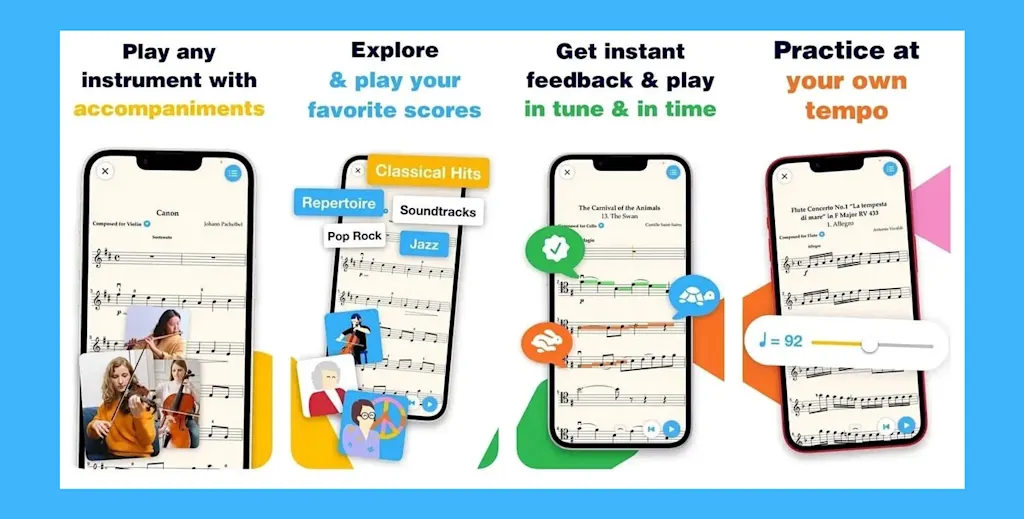
- Tomplay is another great sheet music app that works well on Android and iOS and includes a wider range of chamber music. I pay $82/year for it.
- Muted.io has a vibrant collection of interactive tools and visual references to help kids—or their parents—absorb music theory. Free [by Kevin Maguire]
Art adventures and creative experiments
- Tate Kids — An Arty Playground: Play art games, watch cute videos, try out little projects, and stretch your artistic mind with this well-designed resource from one of the U.K.’s great art museums. Free
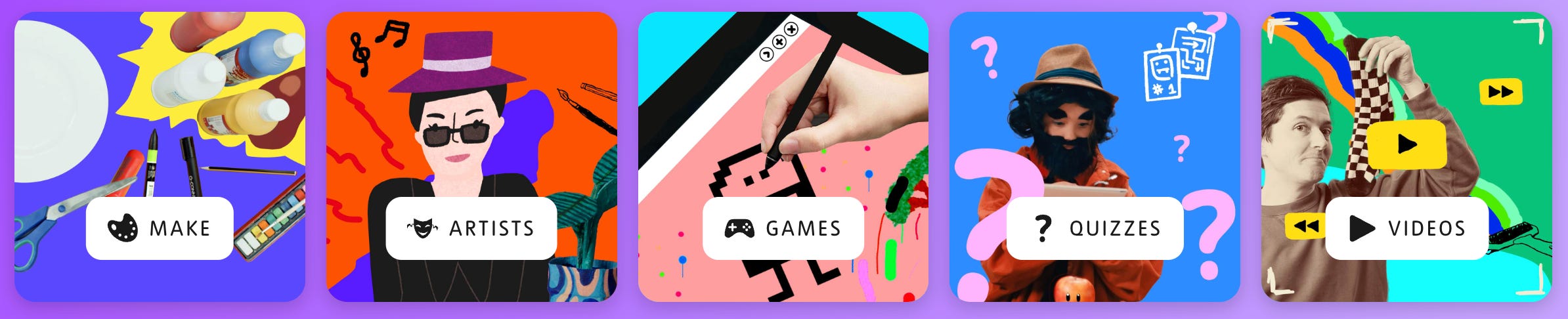
- Make an animated drawing. Turn a sketch into a playful moving image. This service from Meta lets you turn coloring into animation. Free
- Draw a Fish: This simple, low-fidelity game lets you draw a little fish with your computer mouse, then see it swim on-screen. Free
- Google’s Arts & Culture Experiments include dozens of playful free apps for learning about the worlds of painting, sculpture, music, and more. Free
Spark curiosity
- How to Raise a Reader by Pamela Paul and Maria Russo is a wonderful guide to fabulous books for kids. It grew out of this free New York Times guide (gift link). As of this writing, it’s $9.51 on Amazon.
- The Week Junior is a terrific print magazine. It’s aimed at kids 8 to 14, but my wife and I also enjoy reading it. The 32 colorful pages feature short, curated stories about the news of the week. It also includes puzzles, a weekly debate, and photography pages. Cost: 25 issues/year for $49, or $59 for print and digital access. (See the magazine layout design.)

Simplifying screens, from Kevin Maguire
- Consider a Light Phone: Experiment with freeing yourself (and your kids) from smartphone addiction with a full-on “dumb phone.” Reviews for the 3rd edition have been glowing. Wired gave it an 8 out of 10. $699 for version 3 or $299 for version 2.
- Try the Dumb Phone app: Simulate a simple device with an app that strips away everything but simple links to the core phone functions: camera, maps, calendar, and photos. Imitate a simple device without dropping $500 on the love child of a Nokia and a Kindle. Free or $10/annual; $30/lifetime.
- The Dumbest Phone Is Parenting Genius: A landline for kids? If it’s not too late, consider a tactic from Rheana Murray’s Atlantic article: Install a landline. Buy that hamburger phone you always dreamed of as a kid; go with a “landline as a service” company like Tin Can and their gorgeous house phones; or if you’re more technically inclined, roll your own VoIP line for a fraction of the cost. The bottom line: Delay the start of smartphone life.
