
Less Phone. More Focus
This article is republished with permission from Wonder Tools, a newsletter that helps you discover the most useful sites and apps.
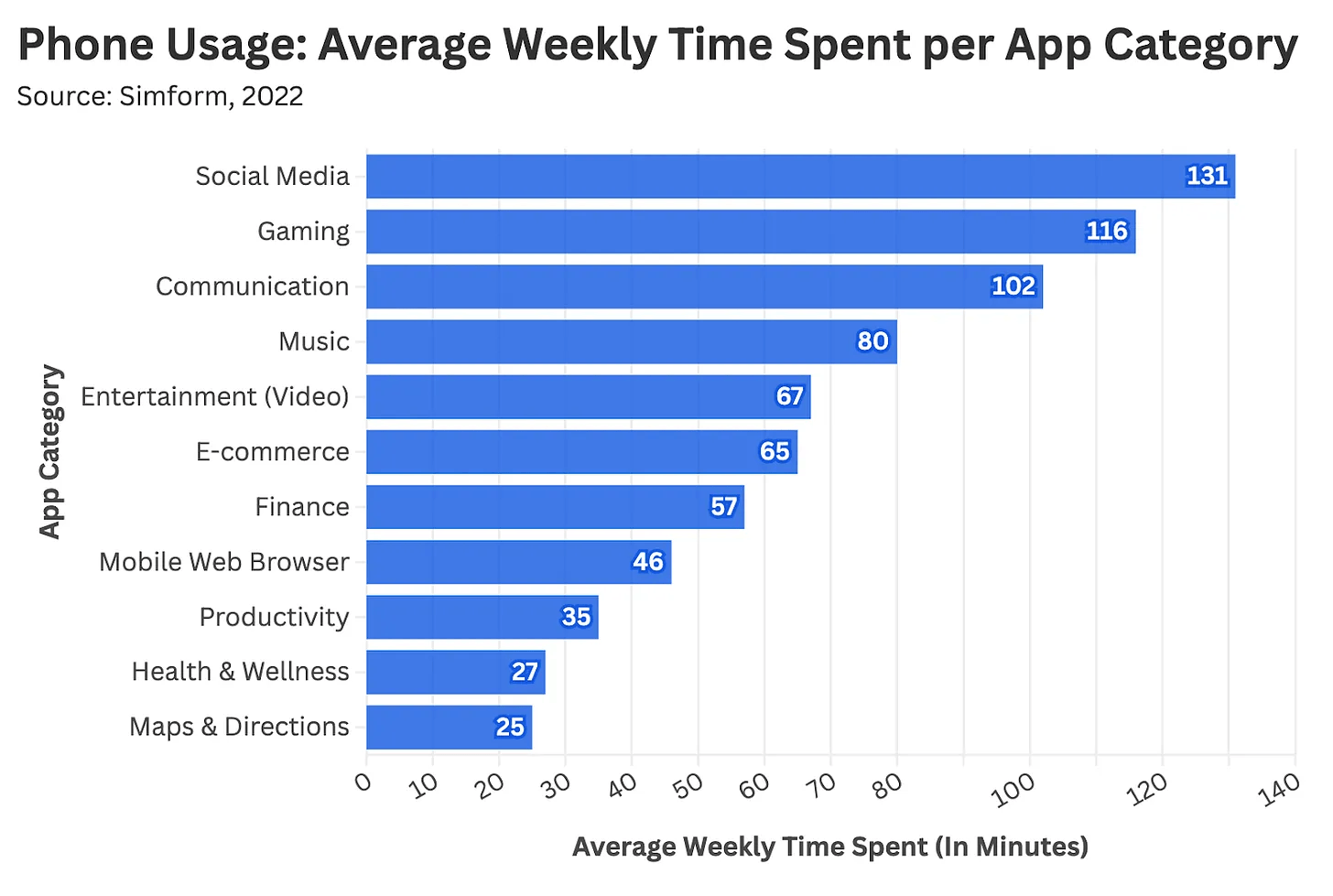
We sleep with our phones. 😴 📱 We’re tied to these devices for work, at home—even on vacation. 🏖️🤳
43% of Americans feel addicted
I was intrigued when writer Daniel Parris offered to share tips and tools he relies on to weaken the distracting pull of his phone.
Daniel is a data scientist and data journalist who writes Stat Significant, a weekly newsletter with more than 23,000 readers. It’s a lively read, with data-centric essays about movies, music, TV, and more.
Between his consulting projects, pop culture data analyses, and weekly writing, Daniel juggles a lot. He relies on a curated toolkit to minimize distraction. In this guest post, he shares his favorite new tools for managing time and sharpening focus.
A return to focus 💫
Daniel Explains: A year ago, I read Cal Newport’s Deep Work. It led me to rethink time management and reassess the distractions affecting my focus.
Like most people, my smartphone makes daily life easier—I text, get directions, send memes, and answer emails. In return for that convenience, my device quietly siphons away hours of free time.
Since I first got an iPhone, I’ve found more and more of my time sliding toward social media and other escapist apps. Millions of others face similar challenges.
Inspired by Deep Work, I wanted to see if I could retain the best aspects of modern tech without surrendering more time than necessary.
Through trial and error, I’ve found a set of tools that help curb aimless tech use. I’m far from perfect, but these approaches have given me a foundation to build on.
Blank spaces—simplify your home screen
If you’d like to cut back on aimlessly scrolling through apps in search of a distraction—Blank Spaces is worth a try. The app replaces your home screen with a minimalist launcher that displays essential tools in a simplified layout.
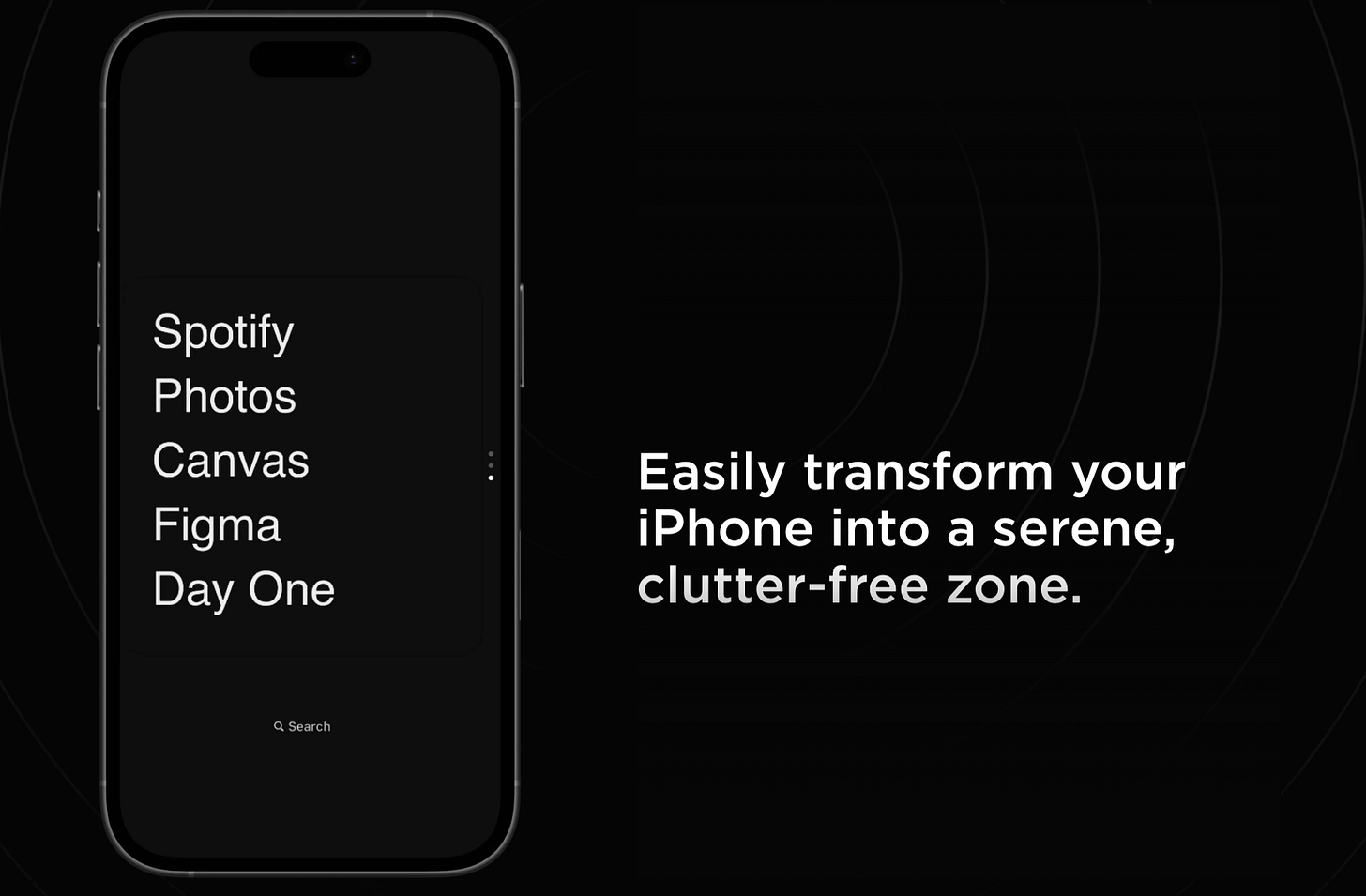
You can still access all your apps through your phone’s search bar, but the interface eliminates habitual app tapping. Choosing five to eight essential apps may sound limiting, but you’ll gradually realize how little you actually need from your phone.
Price: Free for 7 days, then $4/month; $18/year; $24/lifetime
Brick—block distracting apps
Brick is a small near-field communication (NFC) puck that pairs with an app. It’s been the biggest breakthrough in how I use my phone. It lets me retain the fundamental utility of a smartphone (Google Maps, Yelp, Spotify) while blocking the apps that steal my time, including social media.
You select the apps or websites you want to block, then tap your phone against the Brick to enter Brick Mode. It blocks distractions and notifications from your disabled apps, and everything else stays. To re-enable access to your restricted apps, you have to physically tap your Brick again.
Brick may sound like a glorified app blocker. But the added friction makes all the difference. I usually place my Brick somewhere mildly inconvenient, far enough away to remind me I don’t really need to open Instagram right now.
Repeatedly bricking and unbricking my phone usually sparks some healthy introspection. Why am I working this hard just to check my email?
After my first few days, I got used to having my device bricked. That’s since become my phone’s default setting.
Price: $59; students get a 20% discount.
Yondr Box—put phones away
Yondr may be most attractive to families or groups who want to collectively limit phone time. Phone boxes like this one allow you to store devices in a safe-like receptacle for a predetermined period.
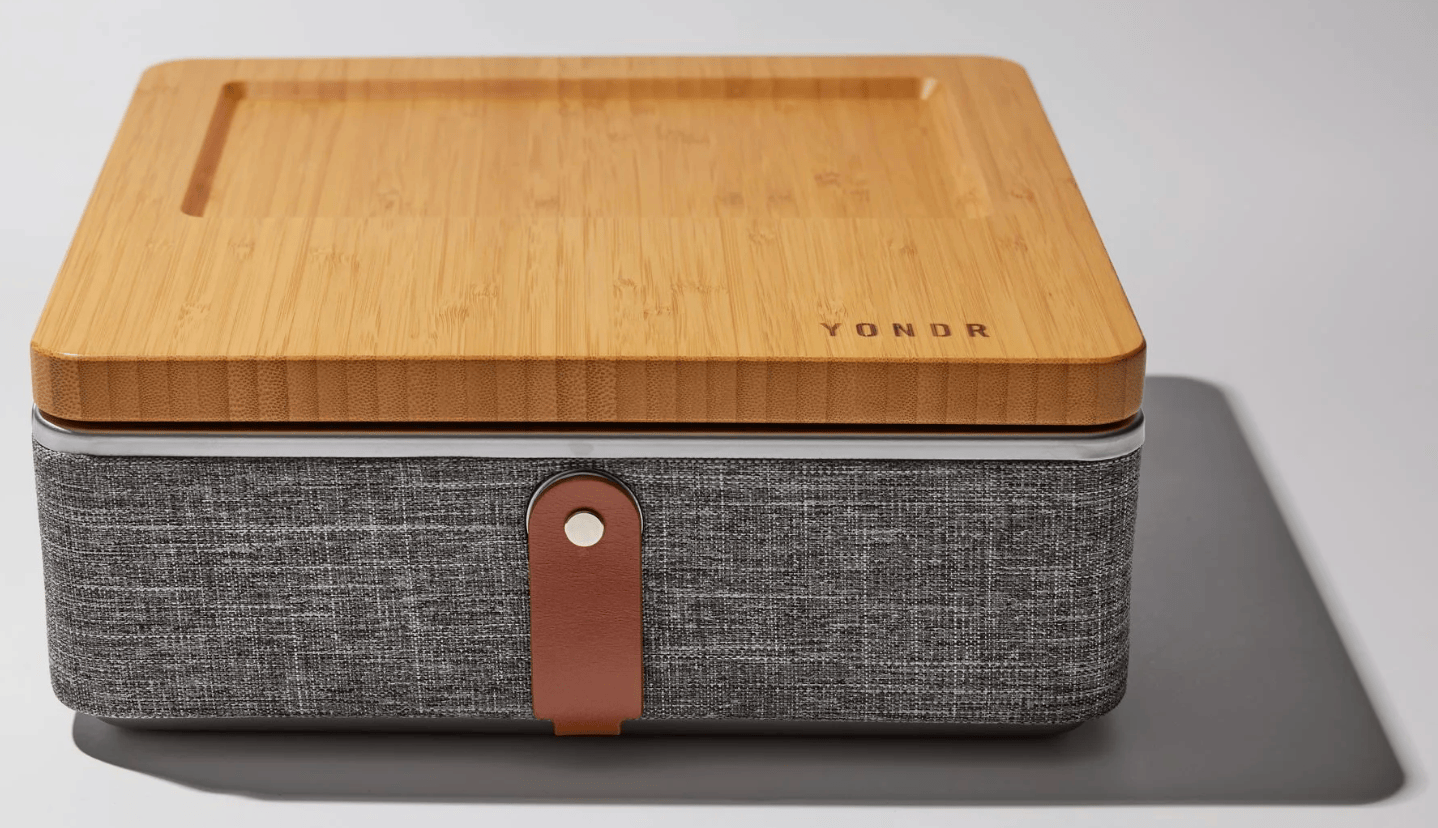
The features associated with these contraptions vary. Some prevent your phone from receiving a cell signal. With most of them, you set a timer and can’t access your device until after the time has elapsed. Yondr and other tools like it work well for family game night or movie marathons.
Price: $249
Light Phone—get a simpler device
When I was in middle school, I had a Motorola Razr. It could do very little beyond calls and texts. It broke constantly, but I loved my silly little Razr phone. For a 13 year old in the early 2000s, it was the best phone you could get. Then I got an iPhone. Overnight my Razr seemed like it was made of Play-Doh.
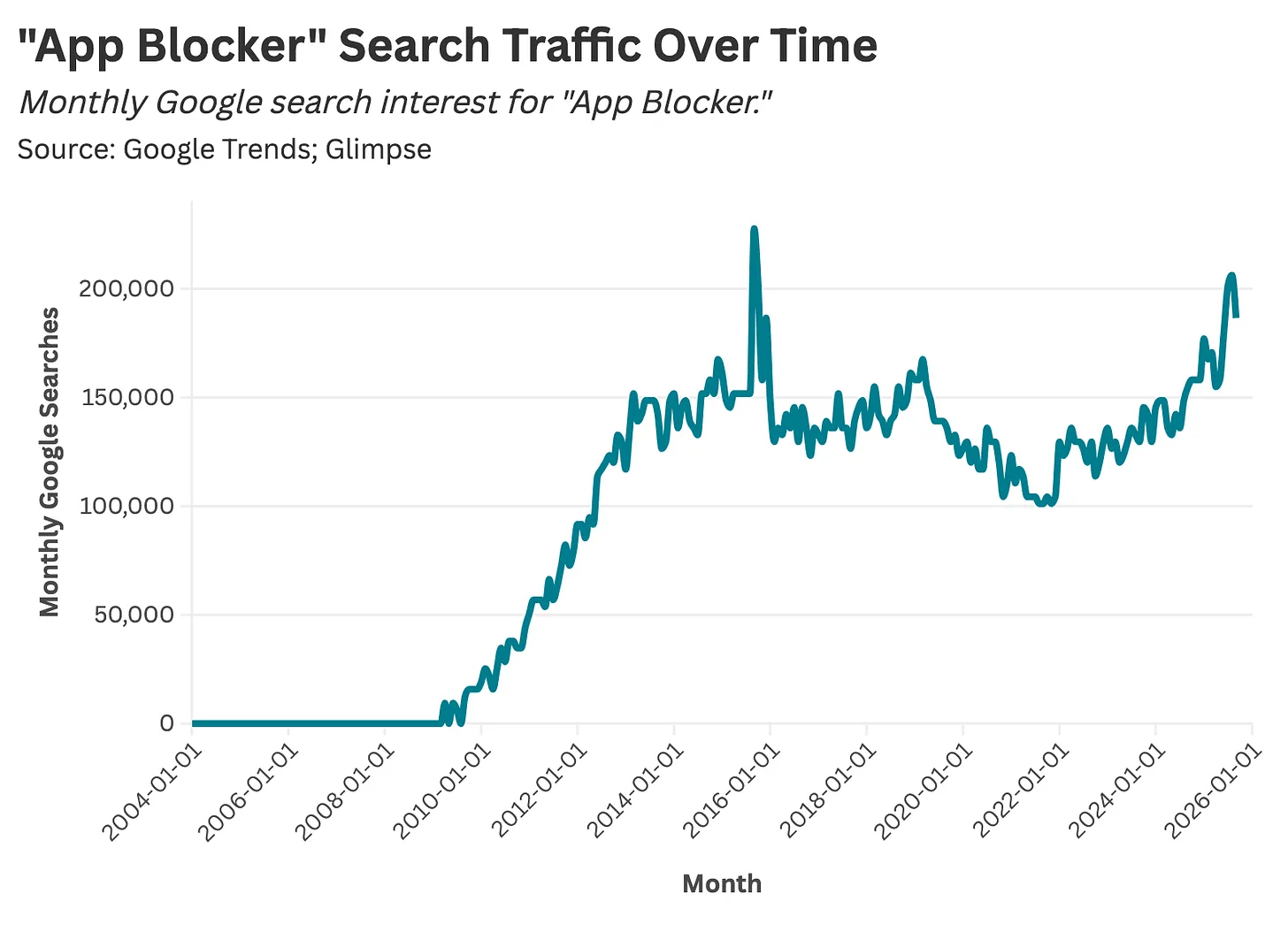
Flash forward two decades, and a small but growing group of consumers is retreating to “dumbphones”—devices with stripped-down functionality. (See a chart illustrating growth in interest)
Some of these devices are extremely “dumb.” They work only for calling and texting. Others embrace a more intentional kind of minimalism.
The Light Phone offers only essential functions: calling, texting, alarms, and directions. This streamlined design reduces screen time and digital distraction.
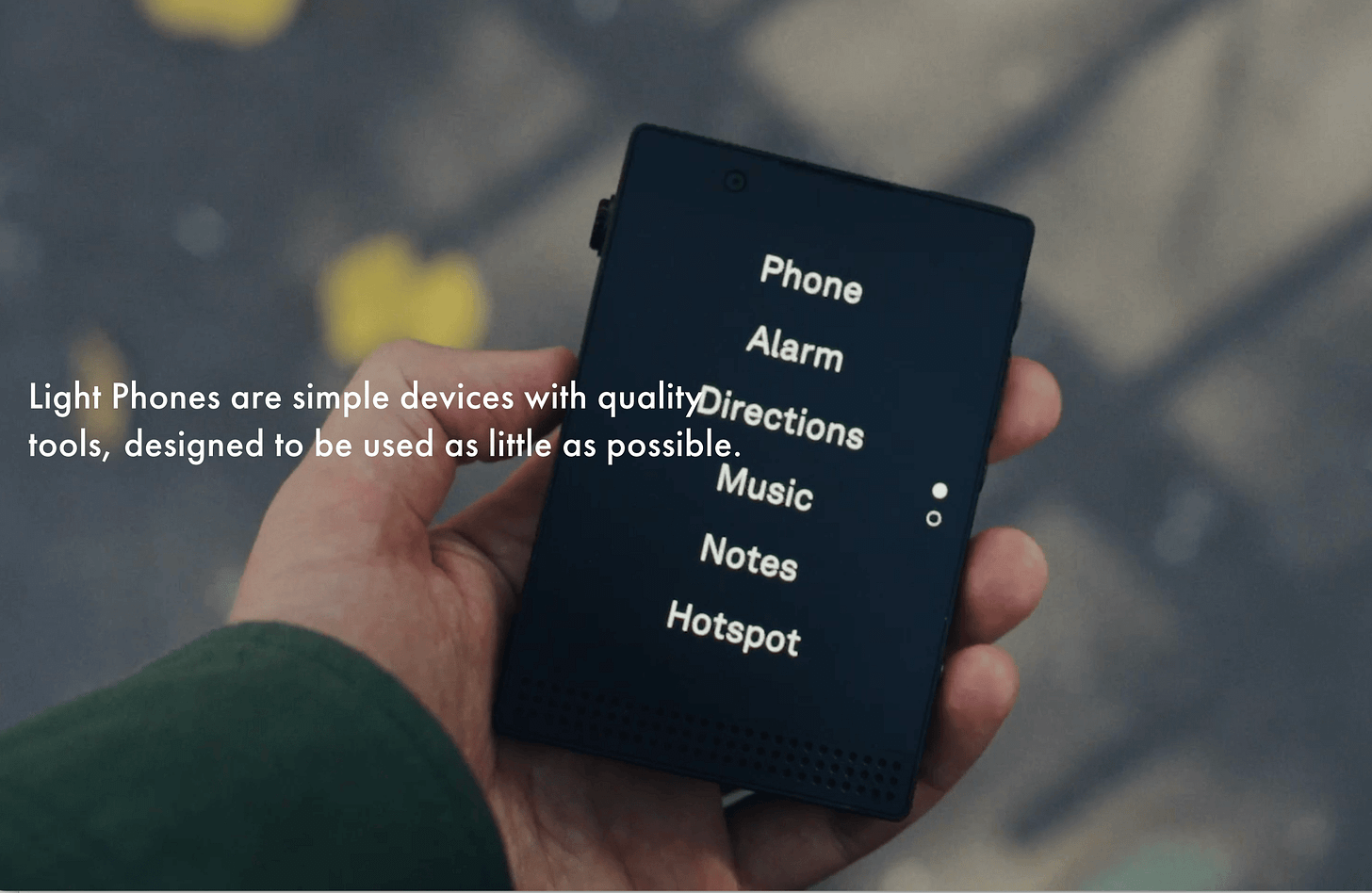
It intentionally excludes social media, email, and web browsing, encouraging users to disconnect from their smartphones without going off the grid completely.
I’ve long flirted with buying a Light Phone, but have yet to pull the trigger. I have a friend who owns one and swears by it.
In 2025, buying a dumbphone is a radical act. In 2002, you’d have been just like everyone else. It’s amazing how 20 years of technological progress can completely recalibrate how we live.
Price: $699 for version 3 or $299 for version 2.
Time-Block Planner—make time to focus
This physical notebook helps me plan my day in 30-minute increments. Each task gets a defined start and end time. Time blocks are allocated between work, meetings, breaks, and admin tasks—with the aim of minimizing idle time, avoiding the mental drag of context switching, and carving out uninterrupted stretches for deep work.

When I first started time-blocking, it felt borderline draconian—like I was robbing my day of spontaneity. Over time, I’ve found it frees me up to focus on doing higher-quality work, instead of constantly thinking about what I should be thinking about.
The scheduler helps me frontload my planning into one intentional session at the start of the day, instead of reconfiguring priorities every hour.
I get that an analog journal isn’t the sexiest recommendation.
Still, I like being able to plan my day without digital distraction, and I appreciate being able to see my schedule without staring at a screen.
Price: $27.90 at Amazon
Daniel was one of DoorDash’s first 150 employees and data science hires. After working there for nearly six years, Daniel moved into consulting and data writing. Over the past year, he’s taken on some of pop culture’s greatest conundrums:
- At What Age Do We Stop Looking for New Music?
- Which Movies Popularized (or Tarnished) Baby Names?
- Which Shows Got Their Finale Right, and Which Didn’t?
Check out Stat Significant to read more of Daniel’s work:
- Why Did Hollywood Stop Making Comedies?
- How Many Episodes Should You Watch Before Quitting a TV Show?
- Is Rotten Tomatoes Still Reliable?
Connect with Daniel on LinkedIn or at daniel@statsignificant.com
This article is republished with permission from Wonder Tools, a newsletter that helps you discover the most useful sites and apps.